


Mobile applications today operate in one of the most fragmented technology environments in software development. A single mobile application may need to function across hundreds or even thousands of device models, multiple operating system versions, diverse screen sizes, and varying network conditions.
For engineering teams, this creates a testing challenge that continues to grow in complexity. Even well-designed automation frameworks can struggle to keep pace with modern mobile development practices such as continuous delivery, frequent UI updates, and rapidly evolving backend integrations.
Artificial intelligence (AI) is increasingly being explored as a way to enhance mobile test automation. Rather than replacing traditional automation frameworks, AI introduces capabilities that help automation systems adapt to change, analyze test data, and prioritize testing efforts more intelligently.
In practice, AI in mobile app testing should be understood as automation enhanced with intelligence. Automation still provides the execution layer, while AI introduces data-driven insights that can improve how tests are created, maintained, and executed.
When implemented thoughtfully, AI-assisted testing can help teams reduce automation maintenance, improve test coverage, and gain deeper insight into application stability.
This guide explores how AI is influencing mobile test automation, what capabilities it introduces, and how organizations can build structured frameworks that incorporate AI effectively.
Key Takeaways
- AI supports mobile test automation by introducing data-driven insights and adaptive capabilities.
- Mobile testing complexity continues to increase due to device fragmentation and frequent updates.
- AI-assisted testing can help reduce automation maintenance and improve stability.
- AI works best when integrated with automation frameworks and CI/CD pipelines.
- Organizations should treat AI as automation enhancement rather than replacement.
What is AI in Mobile App Testing?
AI in mobile app testing refers to the use of machine learning, pattern recognition, and data analytics to support mobile test automation processes.
Traditional automation frameworks rely on predefined scripts written by QA engineers. These scripts validate application behavior by performing specific actions and checking expected outcomes. While effective for repeatable workflows, these scripts often require manual updates when applications change.
Mobile apps evolve rapidly. Small changes in user interface elements, navigation structures, or backend responses can cause automated tests to fail even when the application is functioning correctly.
AI-assisted testing introduces analytical capabilities that help automation frameworks interpret these changes more intelligently.
Instead of relying solely on static rules, AI systems can analyze historical testing data and identify patterns in application behavior.
This allows automation frameworks to become more adaptive.
Examples of AI-assisted capabilities include:
• Test suggestions
• Visual comparison
• Anomaly detection
• Risk analysis
• Pattern recognition
However, it is important to note that AI does not replace human expertise in testing.
Most production environments still rely on engineer-designed test strategies and structured automation frameworks.
AI primarily acts as a supporting layer that helps testing systems operate more efficiently.
Related read: Why mobile app testing is important for application development?
Why Does Mobile App Testing Need AI in 2026?
Mobile applications face unique testing challenges that make automation difficult to maintain at scale. Understanding these challenges helps explain why AI-assisted testing is gaining attention.
1. Device Fragmentation
The mobile ecosystem includes thousands of device models with different screen sizes, hardware capabilities, and operating system versions.
Testing mobile apps across this diversity requires significant infrastructure and effort.
Common testing challenges include:
- Device Diversity
- OS variations
- Screen Resolutions
- Hardware Differences
AI-driven analytics can help testing teams prioritize which devices to test based on user analytics and device usage patterns.
This allows teams to focus testing resources on the environments that matter most.
2. Frequent UI Changes
Mobile applications evolve continuously. UI layouts change frequently as teams introduce new features or redesign existing workflows.
Automation scripts that depend on UI element identifiers may fail when these changes occur. Some AI-assisted testing tools attempt to detect these changes and suggest updates to test scripts.
Examples of UI changes include:
- Element Relocation
- Layout Updates
- Selector Changes
- Navigation Adjustments
Although AI can help identify these changes, human validation is still required to ensure that tests remain accurate.
3. Rapid Release Cycles
Modern mobile development follows Agile and DevOps practices where new releases may occur weekly or even daily. Testing must keep pace with this development velocity.
Automation frameworks help accelerate testing, but large automation suites can become difficult to manage. AI-assisted analytics can help testing teams determine which tests should run after each code change.
Key areas AI can assist with include:
- Test Prioritization
- Regression Selection
- Risk Detection
- Failure Patterns
This helps teams reduce unnecessary test execution while still protecting application stability.
4. Increasing Application Complexity
Mobile applications now rely on multiple backend services and integrations.
Examples include:
• API services
• cloud infrastructure
• third-party services
• authentication systems
Failures may occur across multiple layers of the application architecture.
AI analytics can help identify modules that frequently introduce defects, helping teams focus testing efforts more effectively.
Related Read: Mobile App Testing Automation Guide
How AI Improves Automated Mobile App Testing Process?
AI can improve automation frameworks in several practical ways. Here’s a few ways you can implement.
1. Assisted Test Scenario Generation
Some AI-enabled systems analyze application behavior and suggest possible test scenarios. These suggestions can help QA engineers discover additional edge cases.
Examples may include:
- Input Variations
- Navigation Flows
- Edge Conditions
- Error Scenarios
However, these suggestions typically require review by QA engineers before they are incorporated into production test suites.
2. Self-Healing Capabilities
Certain testing tools attempt to introduce self-healing automation by adjusting element locators when UI changes occur.
Examples of adjustments include:
- Locator Updates
- Attribute Matching
- Element Similarity
- UI Pattern Detection
While helpful in certain situations, self-healing automation remains an evolving capability. Many organizations still review AI-generated changes before accepting them.
3. Visual Interface Validation
AI-based visual testing tools analyze screenshots to detect UI inconsistencies. Traditional automation often checks individual elements, but visual testing evaluates the interface as users see it.
Common visual checks include:
- Layout Changes
- Alignment errors
- Missing Elements
- Visual Regressions
Visual testing is particularly useful for mobile applications where design consistency is important.
4. Data-Driven Test Prioritization
Large automation suites may contain hundreds or thousands of test cases. Running all tests after every change can slow development pipelines. AI analytics can analyze historical test results to determine which tests are most likely to detect failures.
Examples of prioritization criteria include:
- Failure History
- Code Changes
- Module Risk
- Usage Patterns
This helps teams optimize regression testing.
5. Defect Trend Analysis
AI can analyze historical test results and identify patterns in application failures.
These insights can help teams identify:
- Unstable Modules
- Regression Hotspots
- Failure Clusters
- Defect Trends
This allows teams to focus engineering efforts where stability improvements are needed most.
Related Read: How to develop a test automation strategy?
AI Automated vs Traditional Mobile App testing
AI is often described as a disruptive force in software testing. In practice, AI should be viewed as an enhancement to traditional automation rather than a replacement.
The table below highlights the differences between conventional AI Automated mobile app testing and traditional mobile app testing approaches.
Aspect | Traditional Mobile App Testing | AI Automated Mobile App Testing |
|---|---|---|
Test Creation | Tests are manually written and maintained by QA engineers. | AI tools may suggest potential test scenarios based on application behavior. |
Script Maintenance | Scripts require manual updates when UI changes occur. | Some tools attempt to adapt element locators automatically. |
Test Prioritization | Engineers choose which tests to execute. | AI may analyze historical failures to prioritize tests. |
Defect Analysis | Failures are analyzed manually. | AI analytics may highlight recurring defect patterns. |
Device Coverage | Engineers manually select testing devices. | AI may analyze device usage patterns to guide testing. |
1. Test Creation
Traditional Mobile App Testing:
Test cases are typically written manually by QA engineers based on predefined user workflows and application requirements. Engineers design test scenarios, define validation steps, and maintain test coverage as the application evolves.
This approach provides full control over test logic but can become time-consuming when applications grow in complexity.
AI Automated mobile app testing:
AI-enabled testing platforms may analyze application behavior and historical test data to suggest additional testing scenarios. These suggestions can help teams identify edge cases or workflows that may not have been included in the initial test design.
However, engineers still review and validate these scenarios before incorporating them into production test suites.
2. Script Maintenance
Traditional Mobile App Testing:
Automation scripts often depend on fixed UI element identifiers such as XPath or CSS selectors. When UI elements change due to design updates or feature changes, these scripts must be manually updated.
Maintaining large automation suites can therefore become a significant effort for QA teams.
AI Automated mobile app testing:
Some AI-enabled tools attempt to reduce maintenance effort by identifying similar UI elements when interfaces change. These tools may suggest updated element locators or adjustments to test scripts.
While this can reduce minor automation failures, human validation is still required to ensure that tests remain accurate.
3. Test Prioritization
Traditional Mobile App Testing:
Regression testing is typically planned manually by QA engineers. Teams decide which tests to execute based on release schedules, risk assessment, and testing priorities.
This process may result in large regression cycles, especially for complex mobile applications.
AI Automated mobile app testing:
AI systems can analyze historical execution data to identify which tests frequently detect defects or which application areas are more prone to failures.
This allows testing teams to prioritize high-risk test cases and optimize regression execution without running the entire test suite every time.
4. Defect Analysis
Traditional Mobile App Testing:
When automation tests fail, engineers review execution logs, screenshots, and error messages to determine the root cause of the issue. This investigation process can take significant time, particularly when multiple failures occur simultaneously.
AI Automated mobile app testing:
AI-driven analytics tools can analyze patterns in historical failures and identify recurring defect trends. These insights may help teams recognize unstable modules, frequently failing workflows, or recurring regression issues.
This helps teams focus debugging efforts on areas where issues occur most often.
5. Device Coverage
Traditional Mobile App Testing:
Testing teams typically select devices manually based on experience, market research, or predefined device lists. While this approach works, it may not always reflect real user behavior.
AI Automated mobile app testing:
AI analytics can evaluate device usage data, crash reports, and performance metrics to recommend device coverage strategies. This helps teams focus testing efforts on the devices and operating systems most frequently used by real users.
This comparison demonstrates that AI does not replace traditional automation frameworks. Instead, it enhances them by introducing data-driven insights that improve decision-making, test prioritization, and automation maintenance.
Related Read: Hidden costs of test automation maintenance
What is the role of AI in different types of mobile testing?
Mobile application testing involves multiple testing methods, each focusing on a different aspect of application quality. These include functional validation, performance analysis, usability evaluation, and compatibility testing across devices.
AI does not replace these testing methods. Instead, it helps improve how automation frameworks perform these validations by introducing data-driven insights, pattern analysis, and intelligent prioritization.
Understanding how AI supports different mobile testing approaches helps teams integrate AI capabilities more effectively within their testing strategy.
1. Functional Testing
Functional testing verifies whether the application behaves according to defined requirements. It ensures that user workflows, application logic, and system responses operate correctly.
Typical functional testing scenarios include:
- Login Validation
- Transaction Flows
- Navigation Checks
- Input Handling
AI can assist functional testing primarily by helping automation frameworks identify patterns in application workflows.
Examples of AI assistance include:
- Scenario Suggestions
- Failure Analysis
- Regression Prioritization
- Workflow Detection
For instance, AI analytics can analyze previous test executions and highlight workflows that frequently introduce failures. This allows testing teams to prioritize critical functionality during regression testing.
However, functional validation still relies heavily on structured test design created by QA engineers.
2. UI and Visual Testing
User interface consistency is critical in mobile applications. Layout issues, missing elements, or visual inconsistencies can significantly impact user experience. Traditional automation frameworks typically validate UI elements individually, such as verifying button visibility or text presence.
AI-powered visual testing approaches evaluate the interface as a whole.
Common visual validation checks include:
- Layout Alignment
- Element Positioning
- Spacing Consistency
- Visual Regressions
AI-based visual comparison tools analyze screenshots across builds to identify unexpected changes in the interface.
This approach is particularly valuable for mobile applications where small UI adjustments may not affect element locators but still impact user experience.
3. Compatibility Testing
Mobile compatibility testing ensures that applications function correctly across different devices, screen sizes, and operating system versions.
This is one of the most challenging areas of mobile testing due to device fragmentation.
Key compatibility concerns include:
- Screen Resolution
- Device Hardware
- OS Versions
- Manufacturer layers
AI can assist compatibility testing by analyzing device usage analytics and identifying the devices most frequently used by real users.
Examples of AI-driven insights include:
- Device Popularity
- OS Distribution
- Crash Patterns
- Performance Differences
These insights help teams prioritize testing environments and allocate resources more efficiently.
4. Performance Testing
Performance testing evaluates how mobile applications behave under different load conditions and usage patterns.
Key performance indicators often include:
- Response Time
- CPU usage
- Memory Consumption
- Battery Usage
AI can assist performance testing by analyzing historical performance data and identifying abnormal patterns.
For example, AI analytics may detect gradual performance degradation across builds or highlight specific modules that consistently consume excessive resources.
These insights help engineering teams investigate performance issues earlier in the development cycle.
5. Security Testing
Security testing focuses on identifying vulnerabilities that may expose user data or compromise application integrity.
Common security concerns include:
- Data Leaks
- Insecure APIs
- Authentication Flaws
- Session Vulnerabilities
AI can assist security testing through pattern analysis of application behavior and anomaly detection in system interactions.
For example, AI-driven monitoring systems may detect unusual access patterns or suspicious activity during automated testing.
However, comprehensive security validation still requires specialized testing techniques and human expertise.
6. Regression Testing
Regression testing ensures that new code changes do not break existing functionality.
Large mobile applications often contain extensive regression suites with hundreds or thousands of test cases. AI analytics can help optimize regression testing by analyzing historical execution results.
Examples of AI-supported regression optimization include:
- Risk Prioritization
- Test Selection
- Failure Clustering
- Execution Optimization
By identifying which areas of the application are most likely to fail after changes, AI can help teams run the most valuable tests first.
This reduces regression cycle duration while maintaining confidence in application stability.
Strategic Perspective
AI's role in mobile testing should be viewed as an intelligent support system rather than a standalone testing solution.
AI improves testing workflows by helping teams:
- Analyze Data
- Identify Risks
- Prioritize Tests
- Interpret Results
However, the effectiveness of AI-assisted testing still depends on well-designed automation frameworks, strong test engineering practices, and continuous human oversight.
Organizations that combine structured testing methods with AI-driven insights are better positioned to manage the growing complexity of mobile application quality assurance.
Related Read: Top 10 Automated QA Testing Tools in 2026
How Can You Integrate AI into Your Mobile App Testing Strategy?
Adopting AI in mobile app testing should not be approached as a sudden shift or complete replacement of existing testing practices. Instead, it should be introduced gradually as an enhancement to established automation frameworks.
Most successful implementations begin by identifying specific areas where AI can provide measurable value, such as improving test prioritization, analyzing regression patterns, or detecting visual inconsistencies in user interfaces.
Rather than attempting to automate every testing activity with AI, organizations typically integrate AI capabilities into their testing pipelines in stages.
This allows teams to evaluate how AI-assisted insights improve testing efficiency without disrupting established workflows.
A structured approach to integrating AI into mobile testing strategies typically involves several key steps.
1. Start with a Strong Automation Foundation
AI works best when it supports existing automation frameworks rather than replacing them.
Before introducing AI capabilities, organizations should ensure that their automation environment is well structured and capable of producing reliable testing data.
A strong automation foundation typically includes:
- Stable Test Suites
- CI/CD Pipelines
- Device Test Environments
- Reliable Test Reporting
Automation generates the execution data that AI systems use for analysis. Without structured automation, AI-driven insights may be limited or unreliable.
For many organizations, improving automation maturity is the first step toward effective AI-assisted testing.
2. Identify High-Value Testing Areas
Not every testing activity benefits equally from AI capabilities. Organizations should begin by identifying testing areas where AI can provide meaningful improvements.
Common high-value areas include:
- Regression Testing
- Visual Validation
- Device Prioritization
- Failure Analysis
For example, regression suites often grow large as applications evolve. AI analytics can help identify which tests are most likely to detect issues after specific code changes.
This allows teams to optimize regression execution without sacrificing coverage.
3. Integrate AI Insights into CI/CD Pipelines
Continuous integration pipelines provide an ideal environment for AI-assisted testing.
When automation tests run within CI/CD pipelines, they generate large volumes of execution data. AI systems can analyze this data to identify patterns that may not be immediately visible through manual analysis.
Examples of AI-assisted insights within pipelines include:
- Failure Patterns
- Regression Trends
- Risky Modules
- Unstable Tests
By integrating AI analytics into CI/CD pipelines, teams can gain continuous feedback about application stability throughout the development lifecycle.
4. Use AI for Test Data and Execution Analysis
AI analytics are particularly effective when analyzing large volumes of testing data. Over time, automated test execution produces valuable insights about system behavior.
AI can help interpret this data by identifying trends such as:
- Recurring Defects
- Unstable Modules
- Performance Regressions
- Failure Clusters
These insights allow teams to move beyond simple pass-or-fail results and gain a deeper understanding of application stability.
This approach supports a more proactive testing strategy where teams focus on risk patterns rather than only reacting to failures.
5. Introduce AI Capabilities Gradually
One of the most important aspects of adopting AI in testing is gradual implementation.
Rather than attempting to introduce multiple AI capabilities simultaneously, organizations often begin with small experiments that evaluate AI’s effectiveness within specific testing scenarios.
Examples of incremental adoption include:
- Visual Testing Tools
- Test Prioritization Analytics
- Defect Trend Analysis
- Device Usage Analytics
Gradual adoption allows teams to validate AI capabilities in real testing environments while maintaining control over their testing processes.
6. Maintain Human Oversight
Even as AI capabilities evolve, human expertise remains central to effective testing strategies.
AI-generated insights should always be reviewed and interpreted by experienced QA engineers who understand the context of the application and its architecture.
Important responsibilities that still rely on human expertise include:
- Test Strategy Design
- Validation Logic
- Coverage Decisions
- Failure Investigation
AI can assist these activities by providing data-driven insights, but engineering judgement remains essential for ensuring reliable testing outcomes.
Integrating AI into mobile testing strategies is not about replacing existing frameworks. Instead, it involves enhancing testing ecosystems with analytical capabilities that improve decision-making.
Organizations that successfully adopt AI-assisted testing typically focus on automation maturity, data-driven insights, incremental adoption, engineering oversight.
When AI capabilities are integrated thoughtfully, they can help testing teams better understand application behavior, prioritize validation efforts, and manage testing complexity as mobile systems continue to evolve.
Related Read: Top 10 Software Testing Trends for 2026
Limitations of AI in Mobile App Testing
While AI introduces valuable capabilities into mobile testing workflows, organizations should also recognize the practical challenges associated with adopting AI-assisted testing.
Understanding these constraints helps teams integrate AI more realistically and avoid overestimating what current AI technologies can achieve in mobile testing environments.
1. Adoption and Skill Adaptation
Introducing AI-enabled testing tools often requires teams to adapt to new workflows and technologies.
QA engineers who are accustomed to traditional automation frameworks may need time to understand how AI-driven insights are generated and how they should be applied within testing processes.
Teams may need to adjust to:
- New Testing Platforms
- AI-based Reporting Systems
- Different Automation Workflows
- Updated Testing Practices
Because of this adjustment period, organizations typically adopt AI capabilities gradually rather than replacing their testing frameworks immediately.
2. Investment and Operational Costs
Implementing AI-assisted testing can involve higher upfront costs compared to traditional automation approaches. Many AI-enabled testing platforms operate on enterprise pricing models or require additional infrastructure resources.
Organizations may encounter expenses related to:
- Platform Licensing
- Infrastructure Requirements
- Training Programs
- Implementation Support
For some teams, especially smaller organizations, these investments must be carefully evaluated to ensure that the benefits justify the cost.
3. Limited Understanding of Application Context
AI systems are effective at identifying patterns within testing data, but they may struggle to interpret the broader context of application behavior.
For example, AI may detect a change in application workflows without understanding whether the change represents:
- A New Feature
- An Interface Redesign
- Intended Behavior
- An Actual Defect
As a result, human expertise remains essential for interpreting AI-generated insights and determining whether a detected change represents a real issue.
4. Compatibility With Existing Testing Ecosystems
Most organizations already rely on established testing ecosystems that include automation frameworks, CI/CD pipelines, device testing platforms, and reporting tools.
Integrating AI-driven capabilities into these environments can introduce additional complexity if tools are not designed to work seamlessly with existing systems.
Integration considerations often include:
- Automation Framework Compatibility
- CI/CD Pipeline Integration
- Device Cloud Connections
- Reporting System Alignment
Without careful planning, introducing new AI tools can complicate testing workflows rather than simplify them.
5. Data Governance and Security Considerations
AI-driven testing tools often rely on large volumes of data, including testing logs, application telemetry, and usage analytics. In some cases, this data may contain sensitive information related to user interactions or system performance.
Organizations must ensure that AI-enabled testing platforms follow appropriate security and privacy practices.
Important considerations include:
- Secure Data Storage
- Access Control Policies
- Regulatory Compliance
- Data Handling Standards
Teams must carefully evaluate how AI tools process and manage testing data to ensure that security and privacy requirements are maintained.
Understanding these limitations helps organizations adopt AI in a more balanced and strategic way. Rather than replacing traditional testing approaches, AI should be viewed as a complementary capability that enhances automation frameworks and provides additional insights into mobile application quality.
What Are the Top Mobile Testing Tools with AI Capabilities?
As interest in AI-assisted testing grows, several testing platforms and frameworks have begun introducing AI-driven features that support mobile application quality assurance.
These tools typically combine traditional automation capabilities with analytics, visual testing, or machine-learning–based insights.
It is important to note that most of these platforms are automation tools enhanced with AI features, rather than fully autonomous testing systems. In practice, they still rely on structured automation frameworks and human oversight.
AI capabilities in these tools may include:
- Test Suggestions
- Visual Analysis
- Failure Patterns
- Smart Prioritization
- Locator Adaptation
Below are several mobile testing tools that incorporate AI-assisted capabilities within their testing workflows.
1. Appium
Appium is one of the most widely used open-source mobile automation frameworks for testing native, hybrid, and mobile web applications across Android and iOS platforms.
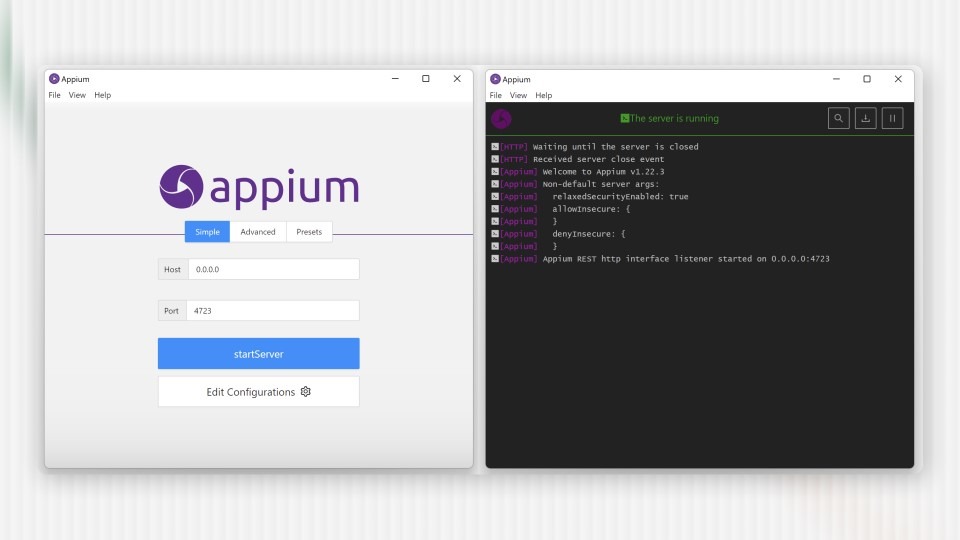
While Appium itself is not an AI testing tool, it serves as the foundation for many AI-assisted testing solutions that build additional capabilities on top of its automation framework.
Key characteristics include:
- Open Source
- Cross-Platform
- Language Flexibility
- Device compatibility
AI enhancements are often added through integrations that support:
- Test Generation
- Script Maintenance
- Execution Analysis
This approach allows teams to combine AI insights with a widely adopted automation framework.
2. Functionize
Functionize is an AI-driven test automation platform that supports end-to-end testing across web and mobile applications.
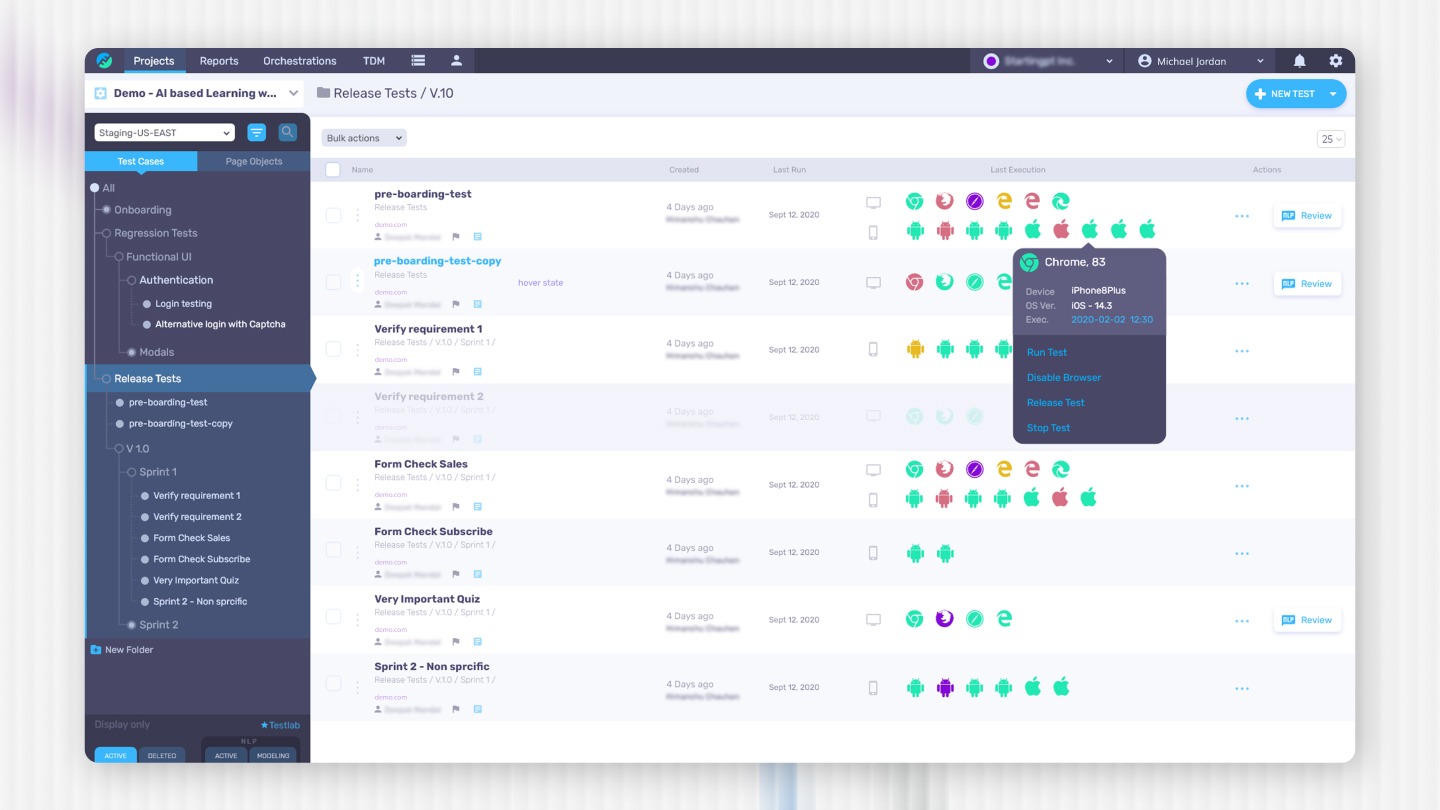
The platform uses machine learning to help automate test creation and maintenance while analyzing application behavior during testing.
Common capabilities include:
- Natural Language Tests
- Visual Validation
- Failure Analysis
- Scenario Genera
Functionize focuses on reducing the effort required to maintain automation scripts by introducing machine-learning–assist Applitoolsed testing workflows.
3. Applitools
Applitools is widely known for its Visual AI testing platform, which focuses on validating user interfaces across different environments.
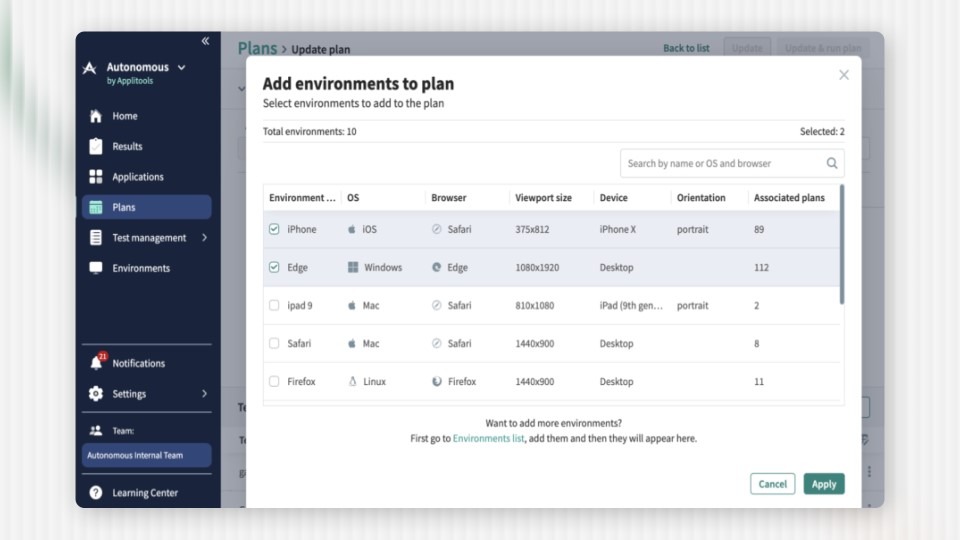
Applitools
Instead of checking individual UI elements, Applitools analyzes entire application screens to detect visual differences between builds.
Typical visual testing use cases include:
- Layout Validation
- Visual Regression
- Responsive Design
- UI Consistency
This approach is particularly valuable in mobile testing where small layout changes can significantly affect user experience.
4. ACCELQ
ACCELQ is a cloud-based automation platform that incorporates AI-assisted capabilities for test automation and execution.
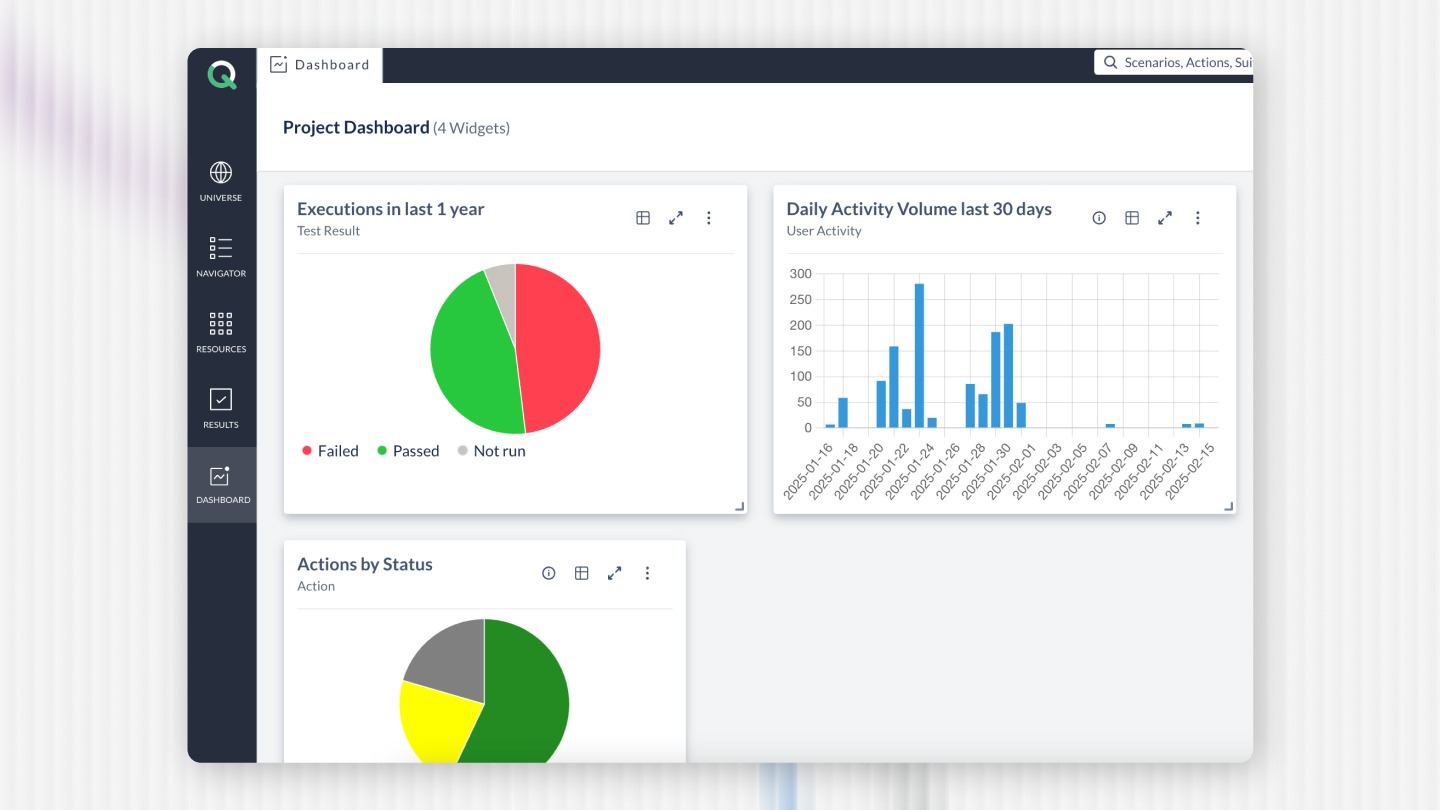
The platform focuses on simplifying automation through low-code or no-code workflows while integrating AI features that help automate testing processes across devices and operating systems.
Key capabilities include:
- Cloud Execution
- Automated Workflows
- Cross-Device Testing
- Analytics Insights
Platforms like ACCELQ are often used by teams that want to introduce AI-assisted automation without managing complex scripting frameworks.
5. testRigor
testRigor is another automation platform that incorporates AI-driven test design features. It allows teams to write tests using simplified language rather than traditional code-based scripts.
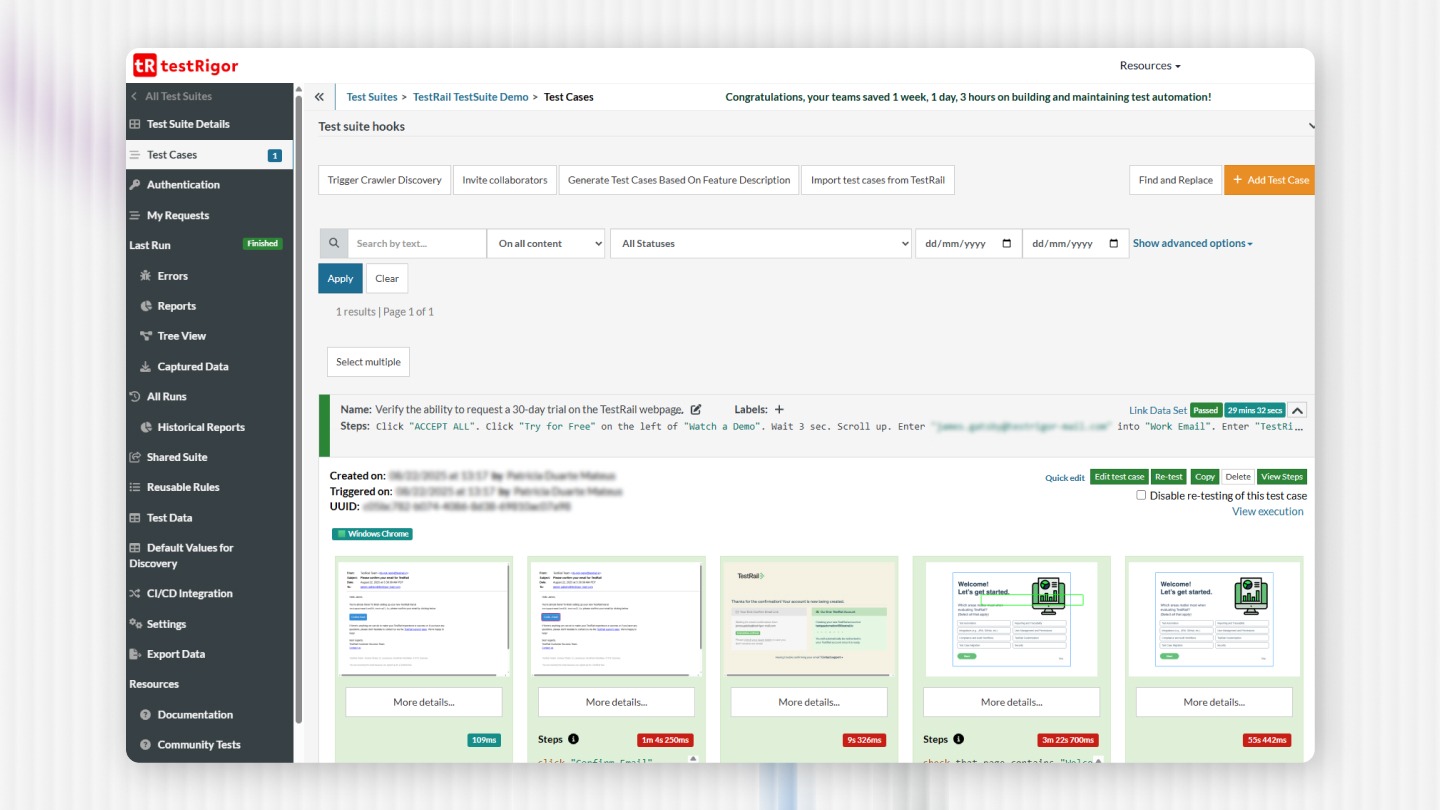
Key features include:
- Simplified Test Writing
- Automated Validation
- UI Testing
- Regression Automation
The goal is to make automated testing accessible to both technical and non-technical team members.
Choosing the Right AI Mobile Testing Tool
Selecting a testing platform should depend on the organization's testing strategy, application architecture, and automation maturity.
Important evaluation factors include:
- Framework Compatibility
- CI/CD Integration
- Device Coverage
- Reporting Capabilities
- Maintenance Effort
Organizations should also recognize that no single tool provides a complete AI-driven testing solution.
Successful testing strategies typically combine:
- Automation Frameworks
- Testing Platforms
- Device Clouds
- Analytics Tools
AI capabilities should be viewed as enhancements that improve how these systems operate together.
Strategic Perspective
AI-enabled testing tools can help teams improve automation efficiency, analyze testing data, and prioritize validation efforts. However, they do not eliminate the need for strong testing frameworks or experienced QA engineers.
Organizations should evaluate AI testing tools based on how well they integrate with existing automation ecosystems rather than focusing solely on AI capabilities.
A balanced approach combining automation engineering with AI-assisted insights often produces the most sustainable mobile testing strategies.
Related Read: Automation Testing: Strategy, Architecture, and Implementation Guide 2026
Final Thoughts
AI is gradually influencing how mobile applications are tested, primarily by enhancing automation with data-driven insights and analytical capabilities. While AI can help teams identify testing patterns, prioritize regression efforts, and analyze failures more effectively, it works best when integrated with well-structured automation frameworks.
Strong mobile testing strategies still rely on solid engineering practices, including reliable automation, thoughtful test design, and continuous validation across devices and environments.
Partnering with experienced automation specialists can help organizations introduce AI capabilities within structured testing frameworks. At QAble, automation testing services focus on building scalable testing architectures that align with CI/CD workflows and evolving quality engineering practices.
Related Read: Top 10 Test Automation Frameworks in 2026