


Most teams think launching an app is the final milestone.
In reality, it is the moment where real risk begins.
An app launch is not just about publishing to the App Store or Play Store. It is a coordinated effort across product, testing, performance, compliance, and user experience. Missing even one critical step can lead to poor first impressions, negative reviews, or immediate user drop-offs.
Many apps fail not because of poor ideas, but because of incomplete launch preparation. Teams often underestimate how much happens before and after the release. A structured checklist ensures that nothing critical is overlooked during this phase.
This guide outlines a practical, engineering-focused app launch checklist designed to help teams ensure readiness across product quality, performance, and user experience before going live.
Key Takeaways
- A successful app launch depends on validating functionality, performance, usability, and real-world scenarios before release.
- A structured app launch checklist helps teams ensure readiness across critical areas and reduces the risk of launch failures.
- Pre-launch testing focuses on risk reduction and stability, while post-launch strategy ensures continuous monitoring and improvement.
- Relying only on one testing approach creates gaps; combining automated and manual testing provides better coverage and reliability.
- Automation enables speed and scalability, while manual testing ensures real user experience validation.
- Continuous monitoring and rapid response after launch are essential to maintain product stability and user satisfaction.
App Launch Checklist: 10 Things You Should Include
Launching an app requires more than functional readiness. It involves validating how the product behaves across real environments, users, and conditions.
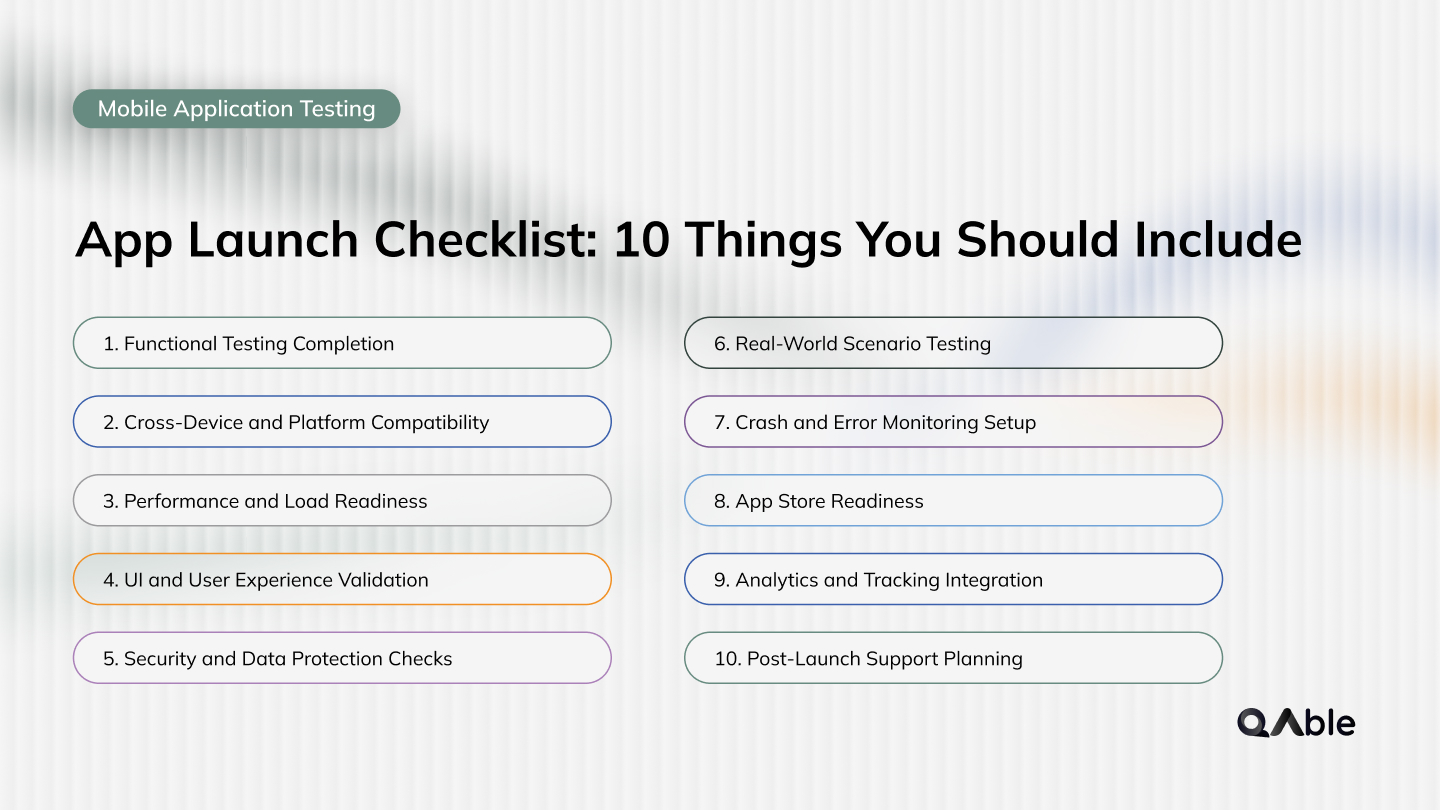
A structured checklist helps ensure that no critical area is overlooked before release.
Below are the essential areas every team should validate before launching an application.
1. Functional Testing Completion
Before launch, all core features and user workflows should be fully validated.
- Login and authentication flows
- User journeys and navigation
- Critical business logic
- Error handling scenarios
Even small functional gaps can lead to immediate user frustration post-launch. Ensuring complete functional coverage is the first step toward release confidence.
Related Read: Functional Testing Types
2. Cross-Device and Platform Compatibility
Your app must perform consistently across devices, operating systems, and screen sizes.
- Device variations
- OS versions
- Screen resolutions
- Browser compatibility (for hybrid apps)
Device fragmentation can expose issues that are not visible in controlled test environments.
3. Performance and Load Readiness
Apps often face their highest load immediately after launch.
- Response time under load
- API performance
- App startup time
- Backend scalability
Performance issues at launch can lead to crashes, slow interactions, and poor user retention.
Related Read: What is Performance Testing?
4. UI and User Experience Validation
A smooth user experience is critical for first impressions.
- Layout consistency
- Responsiveness
- Visual elements
- Navigation clarity
Even if the app works correctly, poor usability can lead to negative reviews.
5. Security and Data Protection Checks
Security validation is essential before exposing your app to real users.
- Authentication mechanisms
- Data encryption
- Secure API communication
- Access controls
Security gaps at launch can lead to serious risks and loss of user trust.
6. Real-World Scenario Testing
Applications behave differently in real environments compared to test setups.
- Low network conditions
- Background interruptions
- Device resource limitations
- Real user behavior patterns
Testing beyond ideal conditions ensures better reliability post-launch.
Related Read: Exploratory Testing
7. Crash and Error Monitoring Setup
Monitoring should be in place before the app goes live.
- Crash reporting tools
- Error logging systems
- Performance monitoring
- Alert mechanisms
This helps teams quickly identify and fix issues after release.
8. App Store Readiness
Publishing requires more than uploading the app.
- App descriptions
- Screenshots and media
- Compliance with store guidelines
- Correct versioning
Improper configuration can delay or block your app release.
9. Analytics and Tracking Integration
Understanding user behavior post-launch is critical.
- User journey tracking
- Event tracking
- Conversion monitoring
- Engagement metrics
This data helps teams make informed product decisions after launch.
10. Post-Launch Support Planning
Launch is the beginning of continuous improvement.
- Bug fixing workflows
- Release rollback strategies
- Support channels
- Feedback handling
Teams should be prepared to respond quickly to issues and user feedback.
Pre-Launch vs Post-Launch Strategy
A successful app launch is not limited to pre-release validation.
It requires a clear strategy for both before and after the app goes live.
Pre-launch focuses on readiness and risk reduction, while post-launch focuses on stability, monitoring, and continuous improvement.
Pre-Launch Strategy
Before release, the goal is to ensure that the application is stable, functional, and ready for real users.
- Complete functional validation
- Cross-device and OS testing
- Performance and load testing
- Security and compliance checks
- Usability and UI validation
At this stage, teams work to identify and resolve issues that could impact the initial user experience.
The focus is on minimizing risk and ensuring that the product meets expected quality standards.
Post-Launch Strategy
After release, the focus shifts from validation to observation and optimization.
- Real-time monitoring and alerts
- Crash and error tracking
- User behavior analytics
- Feedback collection
- Rapid issue resolution
Real-world usage often reveals issues that were not visible during testing.
A strong post-launch strategy helps teams respond quickly and improve the application continuously.
Why are Both Critical?
Relying only on pre-launch testing creates a gap in visibility once real users start interacting with the app.
At the same time, skipping proper pre-launch validation increases the risk of early failures.
A balanced approach ensures that:
- The app is stable at launch
- Issues are detected quickly after release
- Improvements are driven by real user data
Related Read: What is Bug Life Cycle in Software Testing? and How to Implement it?
Automated Mobile App Testing vs Manual Mobile App Testing
Aspect | Manual Mobile App Testing | Automated Mobile App Testing |
|---|---|---|
Execution Approach | Performed manually by QA engineers following test cases or exploratory flows | Executed using scripts through automation frameworks and tools |
Speed of Execution | Slower, especially for repetitive and large-scale testing | Faster execution with ability to run tests repeatedly across builds |
Scalability | Limited scalability across devices and scenarios | Highly scalable with parallel execution across environments |
Accuracy and Consistency | Prone to human errors in repetitive cycles | Consistent and repeatable execution with minimal variance |
Test Coverage | Focused on critical paths due to time constraints | Broader coverage including regression and edge cases |
Best Use Cases | Exploratory testing, usability validation, ad-hoc scenarios | Regression testing, smoke tests, CI/CD pipelines |
Setup Effort | Minimal setup, can start quickly | Requires initial setup of frameworks, scripts, and environments |
Maintenance Effort | Lower technical maintenance but requires repeated manual effort | Requires ongoing script maintenance as application evolves |
Device Coverage | Limited to available physical devices | Extended coverage using device clouds and virtual environments |
Cost Over Time | Higher long-term cost due to repeated manual cycles | Lower long-term cost through reuse and faster execution |
Manual testing ensures real user experience and exploratory validation, while automation enables speed, scale, and consistency. A balanced approach allows teams to maintain quality while supporting faster and more reliable releases.
Related Read: Top 10 Automation Testing frameworks in 2026
Final Thoughts
An app launch is not just a deployment milestone. It is the moment where product quality meets real user expectations.
Even well-built applications can struggle if critical aspects such as performance, usability, and real-world behavior are not validated before release. A structured launch approach helps reduce these risks and ensures that the application performs reliably from day one.
Effective launch readiness also depends on using the right testing approach. Automation brings speed and consistency, while manual testing helps uncover real user experience issues that scripts cannot detect. Combining both ensures stronger validation across functional, performance, and usability layers.
At QAble, testing approaches are designed around this balance, combining automated validation with human-led insights to ensure applications are both technically stable and user-ready at launch.
Related Read: Software Quality Business Risk