


The earlier version of this post listed four reasons ChatGPT could not help much with testing. It said ChatGPT could not understand code, could not run tests, could not grasp context and might miss edge cases. On 29 October 2026 we tested each claim in ChatGPT's Free plan, using fresh temporary chats with memory and custom instructions switched off.
Three of the four claims failed. ChatGPT found planted bugs, executed Python and used the context we gave it. The real limits today are different, and more useful to know: it predicts when it is not asked to run something, and the same prompt gives a different answer in a new chat. This guide shows each test, what came back and how to use ChatGPT in a testing workflow with those limits in mind.
How to set up ChatGPT for testing work
A few settings change how much you can trust what comes back. These are the ones we used for every test in this guide.
Start a temporary chat for each task
Each test ran in a new temporary chat. ChatGPT's screen describes it plainly: "This chat won't appear in history." A fresh chat matters for testing because an earlier conversation can shape a later answer, and you want each answer to stand on the prompt you just wrote.
Switch off personalisation
Temporary chats offer a setting called Unpersonalized, which the interface describes as: "This chat will ignore memory, plugins, and custom instructions." We used it so that nothing saved in the account could steer the results. For your own work, decide deliberately: custom instructions about your stack can help, but they also make results harder to compare between testers.
Know the Free plan's limits
Everything in this guide worked on the Free plan, including code execution and web search. Uploads are the tight limit: three files a day on Free. For testing tasks, paste small inputs as text instead: a requirement, a function, a failing log. Keep credentials and real customer data out of the chat entirely.
Where ChatGPT fits in a testing workflow
ChatGPT is a draft partner. It can review a requirement, propose test cases, write test data and automation code, review code and look up current facts. At every one of those steps in our runs, the answer was either good or confidently wrong, and the two looked alike. The step that separated them was always a check against something real.
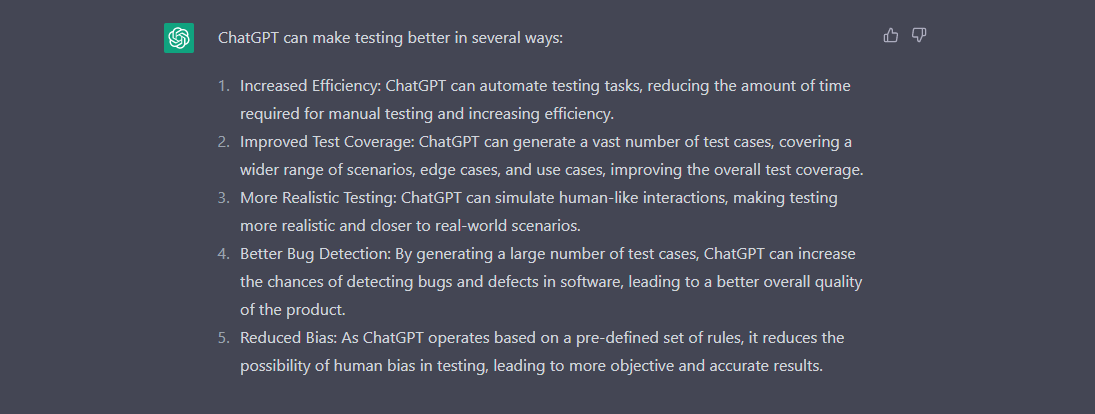
The screenshots in this guide come from the earlier version of this post and show an older ChatGPT interface. The chat window has changed; the way you work with it has not: you write a prompt, read the answer and decide what to keep.
For ready-to-use prompts with the answers we got back, see our tested list of ChatGPT prompts for software testing. This guide covers what sits around those prompts: what ChatGPT can do now, where it slips, and how to check it.
Test 1: can it read code and find a bug?
The old post said: "ChatGPT is unable to understand any sort of code." We gave it two short JavaScript functions for paginating an orders list, with two bugs planted and no hint about them. We told it only that page numbers start at 1.
function paginate(items, page, size) { const start = (page - 1) * size; const end = start + size + 1; return items.slice(start, end); } function totalPages(count, size) { return Math.floor(count / size); }ChatGPT found both bugs. It explained that end adds one too many, so paginate returns "up to size + 1 items", and that Math.floor "undercounts the required pages whenever the number of items is not evenly divisible by the page size." It gave the right fixes, start + size and Math.ceil, and wrote a corrected version with input checks. We ran that version: five items at two per page gave three pages with every item exactly once, and page 0 threw "page must be a positive integer".
It also used our context. Because we said pages start at 1, it flagged page 0 as invalid input and noted that this was "a robustness concern rather than necessarily a bug" if callers always pass valid pages. That is a judgement a tester would make.
What to watch: the outputs it claims. For each bug, we asked for an input with the expected and actual output. Two of its three "actual" outputs were right. For page 0 it said the function returns ["B", "C"]. We ran it in Node 26.7.0, and the real result is an empty array.
The reason is in MDN's documentation for slice(): for a negative start, "start + array.length is used". With three items, slice(-2, 1) becomes slice(1, 1), which is empty. ChatGPT explained the negative index correctly and then got the arithmetic wrong, because it predicted the output instead of running it.
Turn the finding into a regression test. A bug ChatGPT finds is only fixed once a test would catch it coming back. We wrote three checks with Node's built-in test runner, one for each behaviour the bugs broke:
// Regression tests for the pagination bugs ChatGPT found (Test 1). Run: node --test pagination.test.js
// IMPL=buggy runs them against the original code; default is ChatGPT's corrected version.
const test = require("node:test");
const assert = require("node:assert/strict");
const { paginate, totalPages } = require(process.env.IMPL === "buggy" ? "./pagination-buggy.js" : "./pagination-fixed.js");

const items = ["A", "B", "C", "D", "E"];

test("a page never holds more than the page size", () => {
  assert.deepEqual(paginate(items, 1, 2), ["A", "B"]);
});

test("a partial last page still counts as a page", () => {
  assert.equal(totalPages(5, 2), 3);
});

test("walking every page returns every item exactly once", () => {
  const seen = [];
  for (let p = 1; p <= totalPages(items.length, 2); p++) seen.push(...paginate(items, p, 2));
  assert.deepEqual(seen, items);
});Against the original code, all three tests failed. Against ChatGPT's corrected version, all three passed on Node 26.7.0. The third test is the one worth copying: walking every page and checking each item appears exactly once catches both bugs, and any future one that drops or repeats an item.
Test 2: can it actually run code?
The old post said that ChatGPT "will not be able to execute the tests". We asked it to run two lines of Python and tell us whether it had executed them or predicted the result. The first line prints part of a SHA-256 hash, which nobody can predict, so a guess would show at once.
import hashlib; print(hashlib.sha256(b'qable-48-29oct').hexdigest()[:16]); print(sum(i*i for i in range(1, 2027)) % 9973)ChatGPT returned 52f2812bd3d950de and 7467, and said: "I actually executed your Python code using a Python execution environment, rather than predicting the output." Our own run on Python 3.14.7 gave the same two values. The hash match is the proof: it ran the code.
How to use it: put "run this and show the output" in the prompt whenever an answer depends on what code does. Test 1 shows what happens when you do not: it reasons about the code and can get the result wrong. We tested this with Python; for other languages and for browser tests, run the code yourself.
Test 3: can it find today's version of a tool?
Older guides, including the earlier version of our prompt list, said ChatGPT knew nothing after 2021. Today OpenAI's Free tier FAQ lists the ability to "Search the web and obtain up-to-date information". We asked for the latest stable version of the Playwright npm package and its release date, with a source.
ChatGPT answered 1.64.1, released on 14 October 2026, and cited the npm registry. It also noted that the 1.65.0 alpha builds "are prereleases, not stable releases." We checked the Playwright package on npm from the command line the same afternoon: 1.64.1, published on 14 October 2026.
The check itself takes one command. npm view playwright version prints the version npm tags as latest, and npm view playwright time lists every release with its timestamp. We ran both before asking ChatGPT, so we knew the answer it had to match. That is a good habit for any factual question you put to a model: decide how you will check the answer before you read it, so the confident tone of the reply cannot do the persuading.
How to use it: for version numbers, deprecations and release notes, ask for the source and open it. Here the source was right. The habit matters because a version mismatch in a test environment costs more time than the lookup saves.
Test 4: does the same prompt give the same answer?
A test suite should not change because you asked twice. We sent the identical password-reset prompt from our prompt library in two fresh chats about an hour apart. The prompt asked for test cases covering positive, negative, boundary and security checks, and told ChatGPT not to invent requirements.
Both chats were good, and both refused to decide whether the link is valid at exactly 30:00. But they were different suites. The first had 20 cases and 10 assumptions; the second had 22 cases and 12 assumptions. Only the first tested the token leaking through the Referer header. Only the second tested whether one user's link can reset another user's password, and asked whether a new link should cancel older ones.
How to use it: for test design, run the prompt twice and merge the unique cases. Then compare the result with a published standard for that feature. For password resets, the OWASP Forgot Password Cheat Sheet asks for tokens that are "Single use and expire after an appropriate period", rate-limiting on a per-account basis and a consistent message "for both existent and non-existent accounts". Both chats listed rate limiting as unspecified rather than testing it, so the standard, not the model, is what flags it as a gap.
Using ChatGPT across the testing lifecycle
With those four results in mind, here is how ChatGPT helps at each stage, and what to do with what it gives you.
Reviewing requirements
Ask ChatGPT to list the questions a requirement leaves open before you design anything. In our runs this was its most reliable strength: it found the undefined 30:00 boundary twice, and asked what "works once" means. Send those questions to the product owner, and you fix gaps before they become defects.
Writing test cases
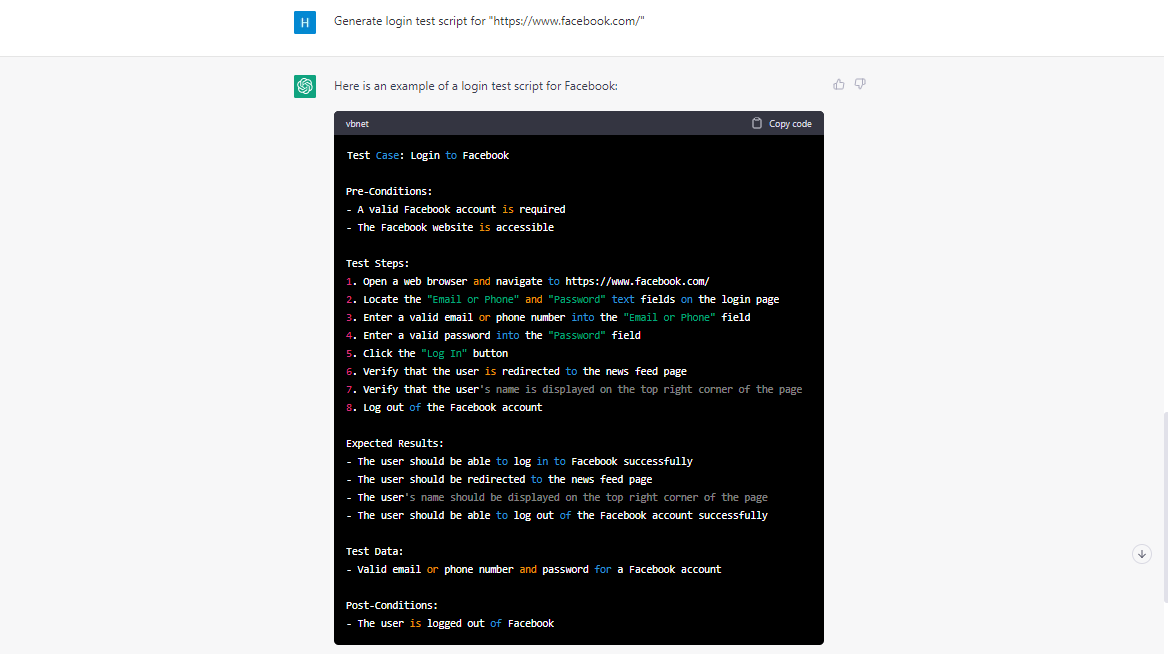
ChatGPT turns a requirement into a structured set of cases quickly, and it is useful in automating the routine part of writing the test cases. Give it the exact requirement, the columns you want and a guardrail such as "do not invent requirements". Then remove duplicates; in one run, 3 of 20 cases repeated others.
Writing test scenarios
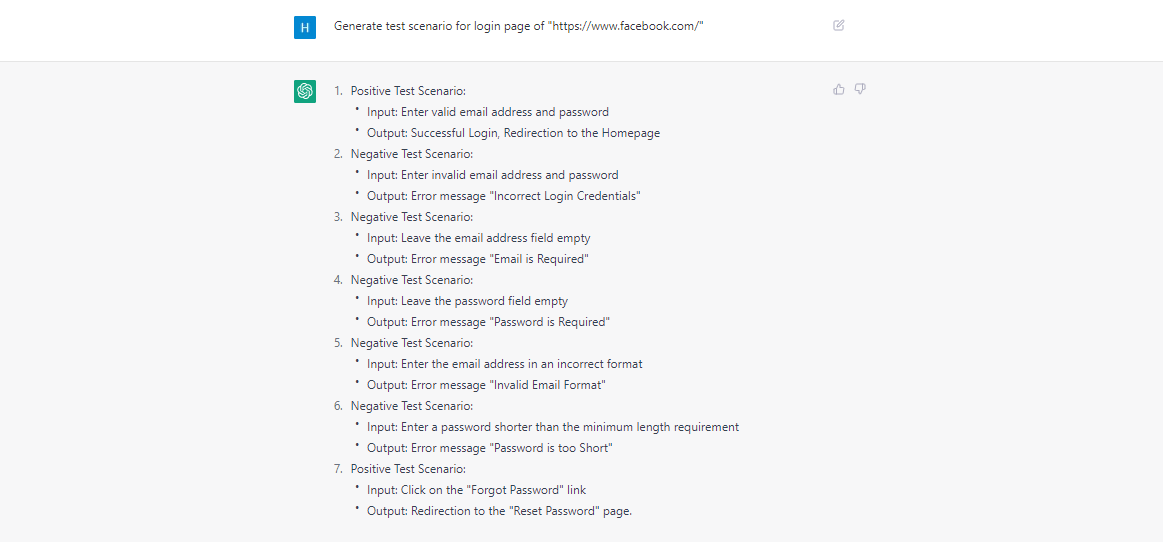
Scenarios and exploratory charters were among the strongest answers in our prompt runs. The risks it suggested were specific: a copied link that still works after sharing is switched off, or edit controls hidden in the interface while the action still works from an open session. Each scenario it writes tends to be broad, so split it into sessions a tester can finish.
Generating test data
ChatGPT writes CSV and JSON test data in the format you ask for. Check every row before use. In one of our runs, 2 of the 6 rows labelled as invalid broke no rule at all. A second chat that we gave the rules in writing found both mistakes, so ask for the data, then ask for a check against written rules.
API and mobile test scripts
For API testing, ChatGPT can draft request collections and assertions for tools such as Postman and REST Assured, and for testing various mobile applications it can draft Appium scripts. Treat both as a first draft: in our prompt runs, generated test code missed an import in one case and asserted a URL it had guessed in another. Run every script against a known build before it joins a suite.
Reviewing automation code
Paste a failing or flaky test and ask for problems in order of severity. In our prompt runs, ChatGPT's review of a Playwright login test named the real faults: fixed sleeps, a visibility check that does not retry, brittle selectors and hard-coded credentials. Its rewrite ran in 256 to 286 ms against 8,201 to 8,234 ms for the original on our local login page.
Then read its additions, not only its fixes. The rewrite added an assertion on a post-login URL it had guessed, and it failed as soon as our app redirected somewhere else. A review is only as good as the assumptions it does not state, so ask ChatGPT to list every assumption it made about your app.
Turning notes into bug reports
A good bug report is reproducible, and a vague note is not. Given "checkout kinda broke on iphone when i used a coupon, total went weird", ChatGPT wrote a structured report, marked the iOS version, browser and amounts "Unknown" rather than inventing them, and asked first whether the customer was actually charged the wrong amount.
It asked 14 follow-up questions, which is more than any reporter will answer. Pick the four or five that unblock reproduction: device and browser, coupon code, totals before and after, and whether a card was charged.
Drafting test summary reports
ChatGPT writes a clear summary report from the numbers you give it, and when we told it not to add numbers, it added none. It also recommended no-go for an open major defect, with formal risk acceptance as the alternative.
It did not question our inputs. We described 412 cases as executed while 6 were blocked, and a blocked case did not run. The report repeated our figure without comment. Before you share an AI-written report, check the totals yourself: the model reports your mistakes faithfully.
Checking tool versions and release notes
Version questions are where web search earns its place. When we asked for Playwright's latest stable release, ChatGPT gave 1.64.1 with its release date, cited npm, and separated the 1.65.0 alpha builds from the stable line. That distinction matters in testing, because a prerelease in a shared environment can change behaviour under your suite. Ask for the source every time, and pin the version your tests ran against in your project file.
Also Read: AI in Software Testing: Where is it now & where it will be
Prompts that ask for the check, not just the answer
The pattern behind every good answer in our tests was the same: ChatGPT had something real to check against. You can build that into the prompt. Three patterns did the work.
Ask it to execute. When an answer depends on what code does, say "run this and show the output, and tell me whether you executed it". In Test 2 that produced a verified result; in Test 1, without it, one output was wrong.
Give it written rules to check against. Our test-data run labelled two valid rows as invalid. A second chat, given the rules in writing, found both mistakes and flagged none of the correct rows. This is the prompt we sent, with the phone and postcode format details shortened and the rows left out:
Check this sign-up test data. Rules: first_name and last_name are required;
email must be an address at example.com; phone must match the country;
postcode must match the country's format; country must be UK, US or India.
Each row below is labelled with the one rule it is meant to break. For each
row, say whether it really breaks exactly that rule and nothing else, then
list any rows whose label is wrong.
Ask twice for anything that designs coverage. Test 4 showed that two chats give two different suites. Merge them, then compare the result with a standard for the feature.
None of these patterns needs a paid plan. All of our runs used ChatGPT's Free plan.
A worked example: one feature from requirement to test suite
Here is how the pieces fit on a single feature, using the password-reset requirement from Test 4: "A user can reset their password via an emailed link that expires after 30 minutes and works once."
Step 1: questions before cases. Both chats refused to decide two things the requirement leaves open: whether the link still works at exactly 30:00, and whether "works once" means once opened or once used. The second chat added a third: whether requesting a new link cancels older ones. Those three questions go to the product owner first, because every expiry and reuse test depends on the answers.
Step 2: two chats, merged. The first chat produced 20 cases and the second 22. Most overlapped: both covered success, expiry at 29 and 31 minutes, reuse after success, tampered and missing tokens, and server-side enforcement. Each also had something the other lacked, so the merged suite is stronger than either.
Step 3: compare with a standard. Neither chat tested rate limiting or account enumeration, and both listed rate limiting as unspecified because the requirement did not mention it. The OWASP cheat sheet covers both. It also asks for an email telling the user their password changed, which the second chat listed only as unspecified, and says not to log the user in automatically afterwards, which neither chat raised.
Step 4: data and code. With the suite agreed, ChatGPT can draft the test data and the automation. That is where our other runs found the most mistakes: rows labelled wrongly, a missing import, a guessed URL. Run the code and validate the data before any of it reaches a pipeline.
The whole sequence took a handful of prompts. The questions, the merge and the standards check are where the tester added the value that made the suite complete.
Will ChatGPT replace testers?
Not on the evidence of our tests. ChatGPT drafted plans, test cases, data, scripts and reports in seconds, and some of them were usable after a read. But four of the ten prompt answers we checked held a mistake, and in every case the mistake surfaced only when someone ran the code, validated the data or compared the output with the requirement.
Its errors also looked exactly like its correct answers. The wrong page-0 output came with a confident, correct-sounding explanation. The guessed URL sat inside an otherwise better test. A tester who knows the product catches these; a reader who trusts the format does not.
What changes is where testers spend time. Less goes into typing first drafts, and more goes into the parts our runs showed ChatGPT skipping: deciding what the requirement means, checking against standards and proving that generated tests test the right thing.
Mistakes that cost us time, and how to avoid them
Some of what went wrong in our runs had nothing to do with the model. These are the habits we changed.
- Check what the chat box sent. When we typed code into ChatGPT, the box dropped line breaks, turned a URL into a link and deleted words in angle brackets. Twice, ChatGPT's top code-review finding was a problem the input box had created. Read your sent message before you trust a review of it.
- Do not reuse one long chat for many tasks. We started a new temporary chat for every test so that one answer could not shape the next. Comparing results is only fair when each prompt starts clean.
- Do not ask for a verdict without the facts. In our report run, ChatGPT repeated an inconsistency in the numbers we gave it. It reports what you supply, so check your inputs first.
- Do not stop at a green run. A rewritten test that passes may still assert something the model guessed. Read every assertion, then break the app on purpose and confirm the test fails.
The limits that matter now
The old limits are mostly gone. These are the ones we hit in our runs, and the habit that handles each.
The upload limit comes from OpenAI's file uploads guide: "Free users are limited to 3 file uploads per day." Keep confidential code, credentials and customer data out of prompts altogether. Even the temporary chat we used shows the notice: "For safety, we may keep a copy of this chat for up to 30 days."
Make ChatGPT a reviewer you can check
ChatGPT now reads code, runs Python, searches the web and uses the context you give it. That makes it a fast first pass at almost every testing task. It does not make its answers right. In our tests it was reliable when it checked itself against something real, and wrong when it predicted.
So write prompts that ask for the check as well as the answer, run whatever it writes, and keep a tester's judgement on what ships. Start with one task this week, such as reviewing a requirement, and add its check before you hand ChatGPT the next one. If you want a team that works this way on your product, talk to QAble's manual testing team.